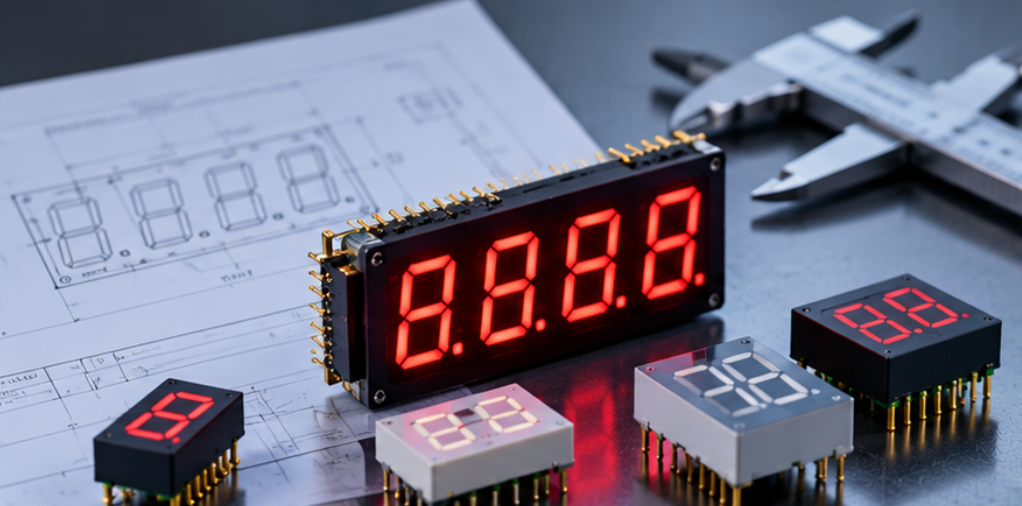
LED Display PCB Assembly Tolerance: Coplanarity, Pin Fit and Stack-Up
This guide treats the board side of the mechanical chain. It sets out which dimensions contribute, how they combine, what the result looks like in the finished unit, and how to turn the arithmetic into drawing limits and a first-article check that can be repeated in production.
Quick Answer: Which Tolerance Decides What You See
Three dimensions decide where a digit physically ends up: the position of the holes in the board, the fit between the pins and those holes, and the height at which the module body settles above the board surface. Get those three right and the window has a stable reference to work from; get them wrong and no window dimension can compensate without showing a wide, uneven border.
The consequence for OEM LED display selection is that a datasheet tolerance is not a design input on its own. It is one term in a sum, and the sum is what the reader sees. A part with a loose pin position can be perfectly acceptable if the board holes are tight and the module seats on a controlled feature, and a part with a tight pin position can still produce visible misalignment if the seating plane is undefined.
The Three Contributors: Board, Module and Assembly
The board contributes hole position, hole diameter, board thickness and flatness. Hole position relative to the digit field is the dominant term in lateral misalignment, because every digit inherits the error of the holes that locate it, and the error is not necessarily the same at each end of a long module. The way those holes and pads are placed alongside the module outline is the subject of SMD 7 segment display design and PCB layout, and it is worth fixing before the tolerance numbers are written.
The module contributes pin position within the package, pin diameter and pin length, plus the flatness of the body that rests against the board or a spacer. Pin length matters more than it appears to: it sets how much of the pin is available for the solder fillet after the module has seated, and a pin that is short at the tolerance limit produces a weak joint rather than a misaligned digit, which is a harder failure to see.
The assembly step contributes what happens between seating and solidification. Solder volume, reflow profile, board support during processing and any manual correction after reflow all move the module or hold it where it landed. The profile itself is covered in the note on the LED reflow soldering profile, and the point to carry into this discussion is that an unsupported board can warp enough during reflow to seat a module at a different height at each end.
The Parameters That Matter
The table below lists the board-side parameters worth writing into a drawing, what each one controls, and the symptom that appears when it is left unspecified. The values themselves belong on the approved drawing rather than in a general article, since they depend on the package, the digit count and the assembly process.
| Parameter | What it controls | Symptom when unspecified |
|---|---|---|
| Hole position relative to the digit datum | Lateral position of every digit | Digits sit off centre or unevenly spaced |
| Hole diameter and pin diameter together | Free play before soldering | Module shifts during handling or reflow |
| Board thickness | Pin protrusion on the solder side | Short fillet, or pin flush with the pad |
| Board flatness, bow and twist | Seating height at each end of a long module | One end of the digit row sits higher |
| Seating plane definition | Height of the module body above the board | Digits stand proud or sink behind the window |
| Pin coplanarity within the package | Contact and fillet consistency across pins | One pin unconnected or a lifted joint |
| Solder volume and pad geometry | Whether the module is pulled down or held up | Inconsistent digit height across the panel |
| Post-assembly handling rule | Whether the position is disturbed after reflow | Alignment drifts between build and test |
Two rows carry more weight than the rest. Hole position is the only parameter that moves all digits together, so it is the one to control first, and the seating plane is the only parameter that decides height, so it should be a machined or moulded feature rather than an inference from pin length. Everything else adjusts around those two.
Building a Worst-Case Budget
A tolerance stack is only useful if it is summed in a stated method. Worst-case summation adds the absolute limits of every contributor, which guarantees that no unit exceeds the result and usually produces a budget that looks impossible on a small display. Statistical summation combines the contributors as independent variables, which gives a realistic spread but no guarantee for an individual unit.
The engineering answer is normally to use the worst-case sum for the parameter that is visible and irreversible, and the statistical view for the rest. Visible digit position relative to the window is the irreversible one, because it cannot be corrected after the panel is assembled, while pin protrusion on the solder side can be inspected and touched up.
A worked example makes the choice concrete. Suppose the drawing allows a hole position deviation, the package allows a pin position deviation and the seating feature allows a height deviation; the worst-case lateral offset the reader could see is the sum of the first two, and the worst-case height difference is the third plus the flatness contribution across the module length. Reducing any single term by a small amount rarely changes the visible result, while shortening the chain, for example by locating the module on two datum holes instead of relying on all of them, often halves it.
The budget belongs in the drawing review, not in the post-mortem. Once the numbers are written down next to the dimensions they come from, the question during sample approval changes from whether the unit looks acceptable to whether each contributor is inside the limit that was assumed, which is a far easier question to answer.
What It Affects in the Finished Unit
The first visible effect is lateral misalignment: digits that sit off centre in the aperture, or spacing that is uneven from one end of a multi-digit module to the other. The second is height variation, which shows as digits that appear to sit at different depths behind the window and becomes obvious at an angle. Both are judged by the customer as a quality defect regardless of whether the electrical performance is perfect.
The third effect is optical rather than mechanical. A module that does not seat flat can change the gap between the segment face and the window across the length of the display, which changes how much light escapes between digits. That is one of the routes into the leakage behaviour described in the light leakage literature, and it is why a leakage complaint is sometimes a seating problem rather than a segment-wall problem.
The fourth effect is joint reliability. Pin length at the low limit, combined with a warped board, produces a fillet that passes visual inspection and fails later under thermal cycling. Since industrial LED display design usually assumes a long service life with repeated temperature excursions, a joint that is merely acceptable at room temperature is not acceptable in the application.
All four effects land on the same window, which is why the board-side budget and the window budget have to be reviewed together. The panel-side counterpart, including how the aperture is sized once the stack is known, is set out in the guide to LED display enclosure window alignment, and it assumes the board side has already been bounded.
Verification and Drawing Release
Verification starts with the drawing. Every dimension that appears in the budget should appear on the drawing with a tolerance and a datum reference, and any dimension without one should be treated as uncontrolled rather than as nominal. The format for that drawing set, including how dimensions, pinout and optical requirements are stated, is covered in custom LED display drawing approval.
First-article inspection then measures the contributors rather than the outcome. Measuring the final digit position tells you whether that unit is acceptable, while measuring hole position, seating height and pin protrusion tells you whether the process is in control, and only the second is useful for the next build. The dimensional items to pull from the datasheet before writing those limits are listed in how to read an LED display datasheet, and they are frequently more complete than the drawing that accompanies a sample.
Production control needs one repeatable check, not a full re-measurement. A go/no-go gauge on the seating height plus a sampled hole-position check on the bare board is usually enough to catch the drift that matters, and both can be done at incoming inspection. Where the board is part of the display supply rather than the buyer's own PCB, the same limits belong in the mechanical section of the specification so that they travel with the part.
Finally, decide what happens when a lot exceeds the limit. A concession on lateral position is a decision about visible quality and should be made by the same person who accepts the window, not by the assembly line. Writing that route in advance is what keeps a tolerance excursion from becoming an argument after the panels are built, and treating the stack as one part of Display Mechanical Integration rather than a PCB-only question is what keeps the drawing, the window and the assembly instruction on the same limits.
Frequently Asked Questions
How to evaluate LED display PCB assembly tolerance for an OEM design?
List every dimension that moves the module, assign each a tolerance from the drawing or datasheet, and sum them in a stated method. Then compare the result with the visible limit the window and the customer will accept.
Which parameters matter most for LED display PCB assembly tolerance?
Hole position relative to the digit datum and the defined seating plane matter most, because one moves every digit laterally and the other sets its height. Pin coplanarity and board flatness come next as multipliers of those two.
How does LED display PCB assembly tolerance affect LED performance?
It changes the gap between the segment face and the window, which alters apparent brightness and can increase light leakage between digits. It also changes fillet quality, which affects joint life under thermal cycling.
How should engineers validate LED display PCB assembly tolerance before production?
Measure the contributors on a first article rather than the final appearance, using the same datum the drawing defines. Repeat the check on a production sample with a go/no-go gauge so drift is detected before the panel is assembled.
Does a tighter module tolerance remove the need for a board tolerance?
No, because the two terms add rather than substitute, and a tight module on a loose board still moves. Tightening the module only pays off once the board side is bounded.
Conclusion: The Board Decides Half the Alignment Before the Window Does
Digit alignment is decided by a chain, and the board side of that chain is the half that is hardest to correct later. Bounding hole position and seating height, summing the contributors in a stated method and measuring them on a first article is what makes the window dimension a design decision rather than a compensation.
If you are preparing a PCB and display specification for a multi-digit assembly and want the tolerance chain reviewed against what the part can hold, send the drawing set to the HOUKEM team and we will confirm the dimensions and datums that apply to your project.
LED Display for Elevator Indicator: Format, Brightness and Integration Checks