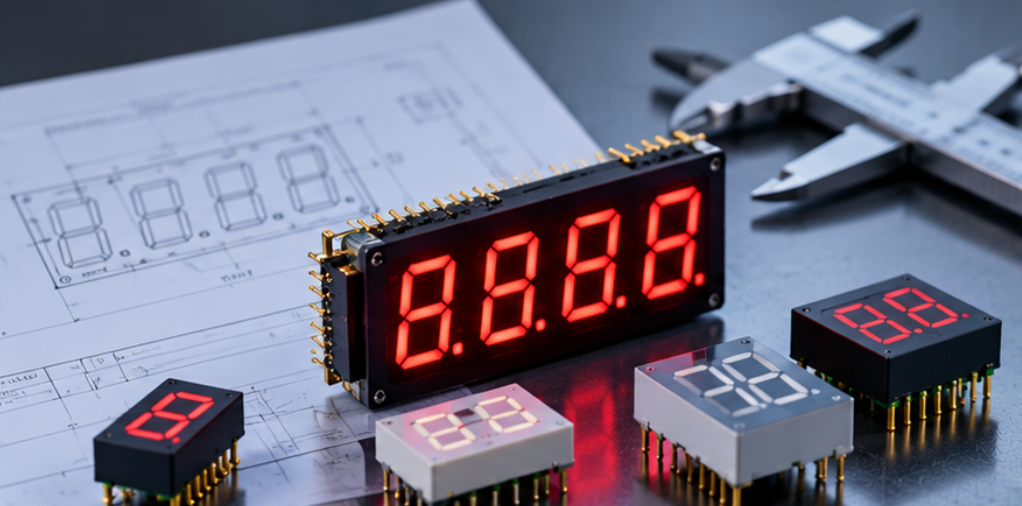
LED Display for Elevator Indicator: Format, Brightness and Integration Checks
This guide sets out how to turn floor, direction and status requirements into a display format, how brightness and digit height follow from the viewing task, and which integration checks catch the problems that only appear once the panel is installed. It is written for OEM product teams specifying a display rather than for buyers comparing catalogue pages.
Quick Answer: What the Elevator Indicator Has to Do
The indicator has to communicate three things in a fixed priority: the current floor, the direction of travel, and a status such as overload, fire service or out of service. Floor number dominates, direction is secondary and status is exceptional, so the format should allocate segment area in that order rather than treating all three as equal fields.
The viewing task then decides the rest. A car panel is read at short range in controlled light, and a landing indicator is read at long range under whatever the lobby lighting happens to be. Those two conditions pull digit height, brightness and contrast in different directions, and the specification has to say which position it is optimising for when one product family cannot satisfy both.
Two Positions, Two Viewing Tasks
The car operating panel is the easier design and the stricter acceptance. The reader is close, the ambient light is dimmable and the angle is nearly head-on, so digit height can be modest. What matters instead is uniformity across the panel, because a car panel carries the floor number beside buttons that are illuminated at the same time, and a display that is much brighter than its neighbours becomes the only thing the passenger sees.
The landing indicator is the opposite case. Distance is set by the lobby, ambient light includes daylight through glazing and reflections from polished floors, and the viewing angle is rarely head-on. Digit height has to be chosen from the distance at which the number must be readable, and brightness has to survive the brightest condition rather than the average one. The relationship between digit height, viewing distance and brightness is worked through in the LED display size and viewing distance guide, and it is the input that fixes the rest of the mechanical design.
| Requirement | Car operating panel | Landing indicator |
|---|---|---|
| Typical reading distance | Close, within arm's length | Set by the lobby layout |
| Governing light condition | Dim interior, night mode | Daylight through glazing, floor reflections |
| Digit height driver | Panel space and button grid | Distance at which the number must be read |
| Brightness driver | Match to illuminated buttons | Survive the brightest ambient condition |
| Dimming | Required, tied to car lighting | Useful, especially for night arrivals |
| Viewing angle | Nearly head-on | Often oblique, from both sides of the landing |
Where one hardware family has to serve both positions, the landing requirement sets the brightness ceiling and the car requirement sets the dimming floor. A display that only meets the car case will look adequate in a showroom and unreadable in a glazed lobby, which is the most common field complaint in this application.
Format and Segment Choices
Floor numbers need one or two digit positions plus a sign field if the building has basements, and that sign is a design decision rather than an afterthought. A minus segment that shares a pin with an unused decimal point is cheap to add at the drawing stage and awkward to retrofit once the PCB is laid out. How extra segments are planned is covered in the note on custom segment LED display icons, and the same logic applies to arrows.
Direction arrows are the second decision. They can be discrete arrow segments inside a single package, separate indicator LEDs beside the digits, or a dot matrix field that draws the arrow. Each choice changes the pin count, the driver architecture and the appearance at an angle, and the choice should follow from the viewing condition rather than from what the previous product used.
Status annunciators are the third. Overload, fire service and out-of-service indication are usually single characters or symbols placed away from the floor field, and they should be specified with their own colour and their own drive so that a status can be shown without changing the floor display. On a dot matrix or custom segment layout, that separation is a schematic decision that is very hard to add later, which is why it belongs in the first drawing review.
Drive mode follows from the segment count. A small car panel display with a handful of digits is comfortably driven statically or with a low scan ratio, while a landing indicator that adds arrows and status fields may need multiplexing to keep the pin count and the harness reasonable. The trade-off between pin count, brightness and scan complexity is the same one that governs other fixed-format panels, and the reasoning in the guide to LED display for HVAC controllers transfers directly.
Brightness, Contrast and Colour
Brightness in this application is a ratio question, not a maximum question. The number has to be far enough above the reflected light on the window to be distinguishable, and far enough below the point where the indicator becomes a glare source in a dim car. Specifying a single mcd value without stating the window tint and the ambient condition leaves the supplier to guess, and the guide to LED display brightness in mcd explains how the measured value relates to what the reader actually sees.
Outdoor-facing or glazed-lobby positions are the demanding case, and the techniques used for high ambient light apply: higher intensity, better contrast between lit and unlit segments, and a window treatment that reduces reflection without greying the digits. Those are the same levers described in the article on sunlight readable 7 segment displays, and they are worth applying selectively rather than assuming every elevator position needs the outdoor treatment.
Colour should be chosen for the reader, not for the brand palette. Red and amber remain common for floor indication because they read well against dark interiors and stay recognisable at low intensity, while a green field is sometimes used for direction or status. Whatever the choice, the segment colour and the window tint have to be evaluated together, because a tint that improves contrast in daylight can shift the apparent hue in a dim car.
Electrical and Interface Constraints
An elevator indicator is usually the last device on a long harness, and that position decides several electrical choices. The supply at the indicator may be lower than the supply at the controller, so the drive has to be designed for the voltage actually present rather than the nominal rail; a display that dims on a long run is a wiring problem that looks like a brightness problem.
Common anode or common cathode is decided by the driver that already exists on the controller board, and it should be stated in the first enquiry rather than discovered at sample approval. Forward voltage spread matters more than the typical value here, because a multiplexed panel with a fixed supply and a fixed resistor will show the spread as a difference in brightness between digits, and that difference becomes visible at night when the eye has adapted.
Dimming is worth specifying explicitly. A car panel that does not dim will be too bright at night and will also be the first thing passengers complain about, and a landing indicator that cannot dim will glow into bedroom windows on an upper floor. Whether the dimming is handled by the controller through PWM or by a photosensor on the display board affects the connector and the wiring, so it belongs in the interface definition rather than in the firmware backlog.
Read as an OEM LED display selection problem rather than a component order, the output of this section is a short list: segment map, supply, driver type, dimming method and connector. In industrial LED display design that list is what the rest of the panel is built around, and under Application & Form Factor Selection it is the point where the application stops being a description and becomes a specification.
Integration and Qualification Before Release
Three integration checks catch most of the problems that survive the sample stage. The first is the window and bezel fit: digit position relative to the aperture, and whether the digits sit far enough behind the window that a viewer at an angle still sees a complete number. The second is the harness and connector route, since a display that is electrically correct can still fail because the cable is bent past its minimum radius inside the panel.
The third is the thermal and condensation check in the installed enclosure. An indicator that is sealed and unventilated can run warmer than the bench sample, and a lobby panel exposed to a cold morning may collect condensation on the inside of the window. Neither condition shows up in a bench test, and both are cheaper to design out than to service later.
Qualification should be run on the final assembly, at both positions, in the light conditions each one actually faces. That means dimming to the night level in the car and reading the landing indicator from the far side of the lobby in daylight, not simply measuring the panel on a bench. A sample approval that happens only on a bench is the reason so many indicators are accepted and then reworked.
Frequently Asked Questions
How to specify LED display for elevator indicator for an OEM application?
Start from the two positions, then fix floor field, sign field, arrows and status separately, and derive digit height from the landing distance. Brightness, colour and dimming follow from that, and the interface follows from the controller that already exists.
Which parameters matter most for LED display for elevator indicator?
Digit height at the landing distance, brightness against the brightest lobby condition, and the dimming range for the car panel matter most. Uniformity between digits and between the display and the surrounding buttons is the fourth.
How to validate LED display for elevator indicator in the final product?
Read the display from both positions in the lighting each one faces, at the night dimming level in the car and in daylight at the landing. Check the aperture fit and the harness route at the same time, because both are invisible on a bench sample.
What should engineers send a supplier for LED display for elevator indicator?
Send the segment map, the digit height and colour, the viewing distance for each position, the available supply and driver type, and the aperture drawing. A photograph of the panel and the lobby helps more than a paragraph of description.
Can one display type serve both the car panel and the landing indicator?
Usually yes, if the landing requirement sets the brightness ceiling and the car requirement sets the dimming floor. The two positions then share a family rather than a single specification.
Conclusion: Specify Both Readers, Not the Average
Elevator indication fails when a single average specification is written for two very different reading tasks. Separating the car and landing requirements, deriving digit height and brightness from each, and qualifying the final assembly in both positions is what keeps an accepted sample from becoming a field rework.
If you are writing a display requirement for an elevator panel or landing indicator and want the segment map and viewing conditions reviewed against what can be built, send the requirement pack to the HOUKEM team and we will confirm the format and options that apply to your project.
LED Display PCB Assembly Tolerance: Coplanarity, Pin Fit and Stack-Up
LED Display for Weighing Scale Products: Format, Sign and Stability Cues