5x7 vs 8x8 Dot Matrix Display: Which Format Fits Your Design?

Why the Format Decision Matters
A dot matrix module is defined by its grid: the number of dots across and down determines how a character is drawn. Pick a grid that is too coarse and your characters look broken or ambiguous. Pick one that is larger than needed and you spend module area, pins and drive current on resolution you never use. Because the matrix is usually fixed at the hardware stage, this is one of the few display decisions that is expensive to reverse, so it is worth grounding in how a dot matrix display is organised before choosing.
The Two Formats at a Glance
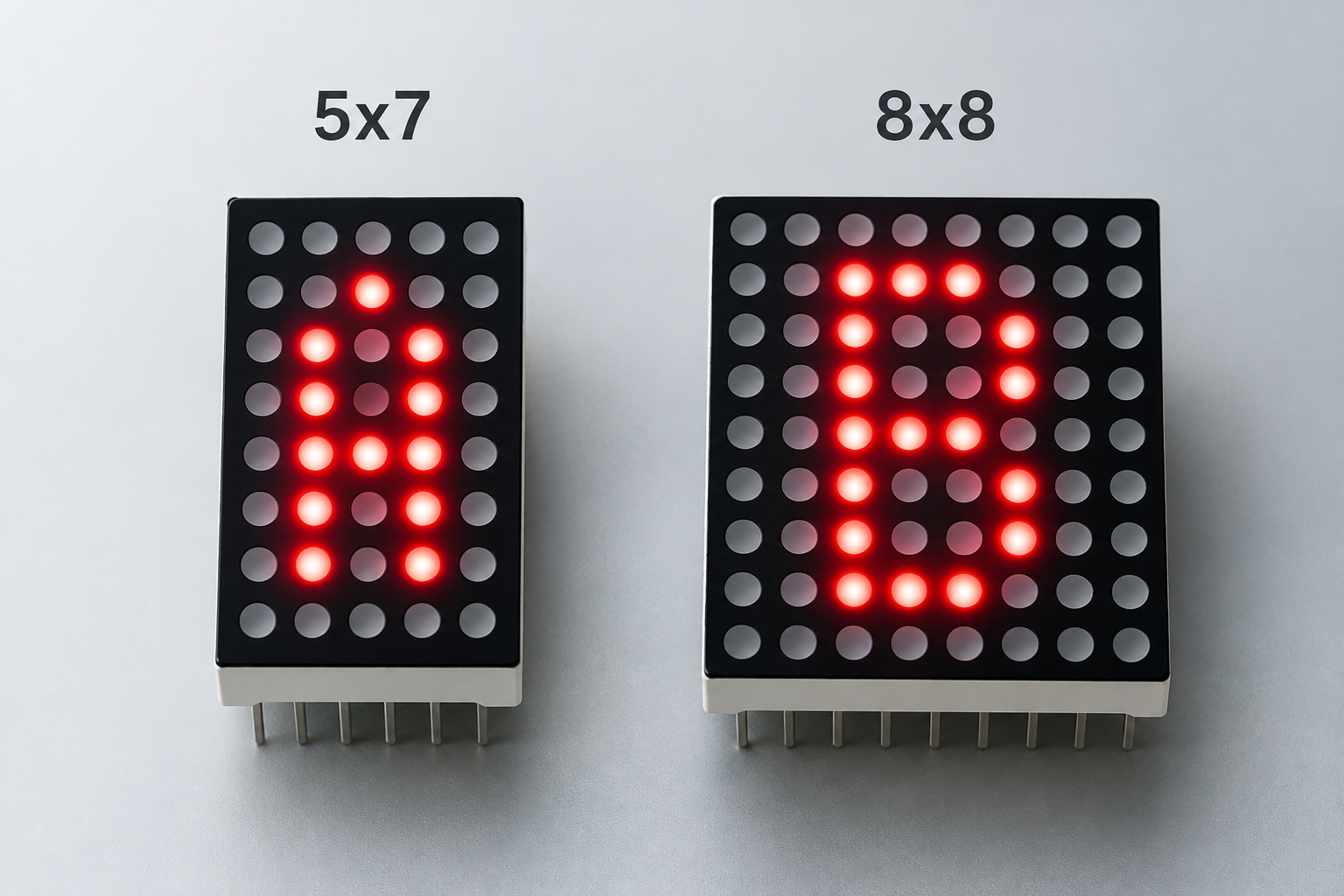
The two formats differ in dot count and in what that extra resolution buys you. A 5x7 matrix provides 35 dots arranged as five columns and seven rows, which is the classic character cell for alphanumeric text. An 8x8 matrix provides 64 dots in a square grid, adding a column and a row on top of the classic cell plus spare dots around the edges.
| Attribute | 5x7 matrix | 8x8 matrix |
|---|---|---|
| Dot count | 35 dots (5 columns x 7 rows) | 64 dots (8 columns x 8 rows) |
| Primary use | Single alphanumeric characters | Characters with more detail, symbols and small icons |
| Character shape | Classic cell; descenders are constrained | Extra column and row support descenders and heavier styling |
| Module outline | Narrower than tall | Square |
| Driver load per module | Lower | Higher, due to more dots to address |
| Typical fit | Digits and simple text on compact panels | Status symbols, mixed glyphs, graphic-style dots |
Both formats are commonly supported: a typical 5x7 dot matrix display range covers several colours and packages, and the same is broadly true for 8x8. Availability of a specific colour, polarity or package in one format does not guarantee the same combination exists in the other, so confirm the exact configuration with the supplier rather than assuming symmetry.
Character Rendering: What Each Grid Can Show
Character rendering is where the two formats diverge most. Within a 5x7 cell you can draw every digit and the full upper-case alphabet, along with most lower-case letters, using a typeface designed for the grid. What you cannot do well is render descenders, the parts of letters such as g, j, p, q and y that drop below the baseline, because there is no row reserved below the cell. Fonts for 5x7 matrices solve this by squeezing the alphabet upward, which is acceptable for labels but can look compressed for continuous text.
The 8x8 grid relaxes that constraint. The extra column widens the drawing area for rounder glyphs, and the extra row leaves room for descenders or for separating a character from the module edge. If your panel needs to show small icons, arrows or custom symbols next to text, the square 8x8 field gives those marks room to breathe. For pure numeric indication, however, the additional dots are resolution you may not need, and a well-drawn 5x7 digit is perfectly legible.
If the product must eventually show dense glyphs such as Chinese characters, neither format is sufficient and a denser 16x16 dot matrix display is the appropriate step up. Choosing between 5x7 and 8x8 is a choice within alphanumeric and light-symbol territory, not a substitute for a high-resolution matrix.
Size, Pitch and Reading Distance
Format and physical size are related but not the same thing. The dot pitch, the centre-to-centre distance between dots, sets the physical character height more than the format does. An 8x8 module with the same dot pitch as a 5x7 module will be taller and wider, because it carries more dots, but a small-pitch 8x8 can still be smaller overall than a wide-pitch 5x7.
Work from the enclosure backwards. Measure the window area available for the display, decide the reading distance, and only then compare formats at the pitch that fits. For panel indicators read at arm's length, either format works and the choice is driven by content. For text that must be read across a room, the pitch grows, and the square outline of the 8x8 may cost you more enclosure height than the 5x7 shape.
Module Outline and PCB Layout
The 5x7 outline is narrower than it is tall, which suits vertical stacks of characters or tight horizontal strips. The 8x8 outline is square, which tiles cleanly into larger arrays and simplifies layout when modules are chained. On a crowded PCB, the difference in pin positions and footprint between the two formats is worth checking against your layout early, because it affects the keep-out area around the display.
Drive and Electrical Considerations
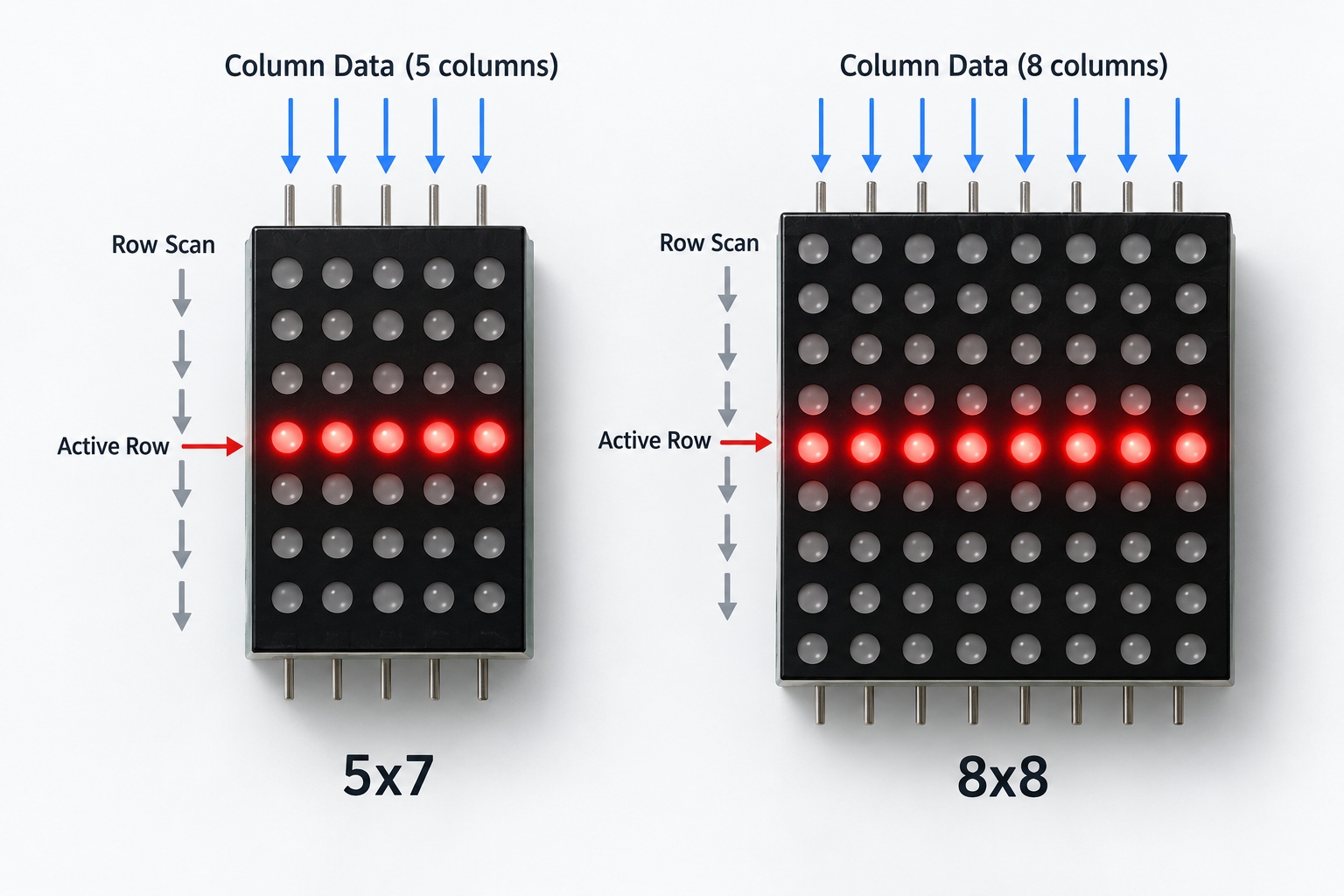
Both formats are driven by the same row-and-column multiplexing principle, but the 8x8 grid addresses more dots per module. In practice that means a longer scan per row group and more column lines to switch, which slightly increases the demand on your driver circuit and on the current budget during each active row interval.
Polarity is a separate decision that applies to both formats. Dot matrix modules are offered in common-anode and common-cathode arrangements, and some models exist in both, but they are not interchangeable on a given driver board. Confirm the polarity your driver expects along with the format, because the two choices are ordered together and both appear on the module datasheet.
Colour choices also span both formats: monochrome, bi-color and RGB versions exist, and the colour affects the driver complexity more than the format does. An RGB dot matrix module in either grid carries three emitting elements per dot position, so the wiring and control effort scales with the grid size you choose.
A Decision Path You Can Follow
Most teams can settle the question with four questions in order:
- Does the panel show only digits and short upper-case text? If yes, a 5x7 matrix is usually sufficient and keeps the module compact.
- Does the content include lower-case text with descenders, mixed symbols or small icons? If yes, the 8x8 grid renders them more cleanly.
- Is the enclosure width-constrained or height-constrained? A narrow 5x7 outline suits horizontal strips; a square 8x8 tiles cleanly into arrays.
- Is there a reasonable chance the content will grow into dense glyphs or graphics? If yes, consider whether an 8x8 is a stepping stone or whether the design should move to a denser format from the start.
If the answers are mixed, the tie-breaker is usually content growth: the 8x8 grid costs little extra at design time and is more forgiving of later content changes, while the 5x7 wins when the content is certain and the space is tight.
Where a design needs a non-standard combination, for example a specific pitch, colour or polarity in either format, customized displays can be developed for the specific product design, and the exact configuration is confirmed against an approved drawing. Commercial terms such as minimum order quantity and lead time are model and project based, so they should be quoted for your specific configuration rather than assumed. HOUKEM provides a two-year warranty across its full product range, with normal warranty terms and exclusions applying.
Conclusion
For a 5x7 vs 8x8 dot matrix display decision, the format follows the content: 5x7 when the panel shows classic alphanumeric text in a compact outline, 8x8 when characters need descenders, symbols need room, or the layout benefits from a square, tileable module. Fix the pitch from your enclosure and reading distance first, then let the character set decide the grid. If you want a second opinion on a specific format and configuration, you can send your requirements to the HOUKEM engineering team and we will respond with the options that fit your project.
Frequently Asked Questions
Is a 5x7 dot matrix display enough for lower-case text?
Yes, for most labels, because 5x7 fonts render the full alphabet within the cell. True descenders on letters like g and y are constrained, so continuous lower-case text looks better on an 8x8 grid.
Which format is smaller physically?
Neither format is inherently smaller, because the dot pitch and module outline determine the physical size. A narrow 5x7 is shorter in one dimension, while a small-pitch 8x8 can still be more compact than a wide-pitch 5x7.
Do 5x7 and 8x8 modules use the same driver approach?
Yes, both are driven by row-and-column multiplexing with the same controller principles. The 8x8 grid simply has more dots to address, which slightly increases the scan and current budget per module.
Can I get both formats in RGB?
Both formats exist across monochrome, bi-color and RGB families, but not every colour and package combination is available in every format. Confirm the exact format, colour and polarity combination with the supplier before design freeze.
When should I skip both formats and use a denser matrix?
When the display must render dense glyphs such as Chinese characters or recognizable graphic icons, a denser format like 16x16 is the appropriate choice. Use 5x7 and 8x8 for alphanumeric and light-symbol content.

RGB Dot Matrix LED Display: Full-Color Capability for Industrial Panels
Dot Matrix LED Display: How It Works and How to Specify One