
RGB Dot Matrix LED Display: Full-Color Capability for Industrial Panels

What Makes a Dot Matrix Display RGB
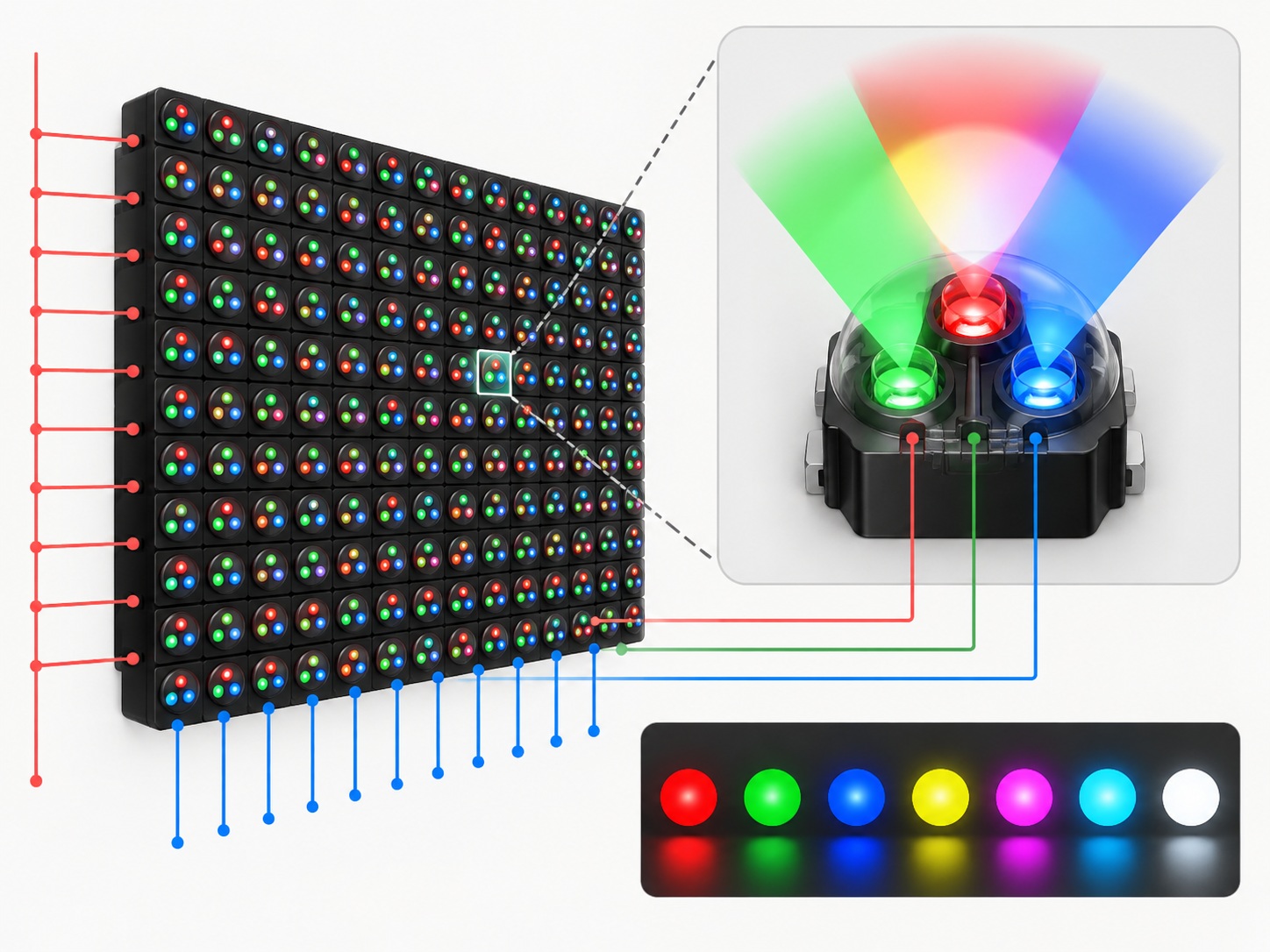
A standard monochrome matrix places one LED at each grid intersection, and every dot shines in the same colour, typically red, green or white. A bi-color matrix places two elements of different colours at each position, so any dot can show either colour, and RGB dot matrix modules take the next step with red, green and blue emitters at each dot position.
Because each dot carries all three primary colours, the display is not limited to a fixed palette. The colour seen at any dot is the combination of the three emitters behind it, controlled by how strongly and how long each is driven during the refresh cycle. Dot matrix displays are commonly available as monochrome, bi-color and RGB examples, so the choice is a standard engineering decision, and the supplier's dot matrix display range shows the formats each colour level supports. Exact availability of a specific format and colour combination should always be confirmed with the supplier.
How Colour Mixing Works in an RGB Matrix
The controller treats each dot position as three addressable emitters. During each scan interval, it drives the red, green and blue elements with the timing that produces the intended perceived colour. Faster modulation of the three channels produces the appearance of continuous colour at the dot, in the same way the row-and-column multiplexing of the matrix produces the appearance of a steady image.
Two consequences matter at the design stage. First, the driver has to handle roughly three times the control paths of a monochrome matrix of the same grid, which affects the driver IC choice, the connector count and the PCB routing around the module. Second, colour quality depends on the balance and the timing of the three channels, so the drive scheme is part of the colour performance rather than an implementation detail to be settled later.
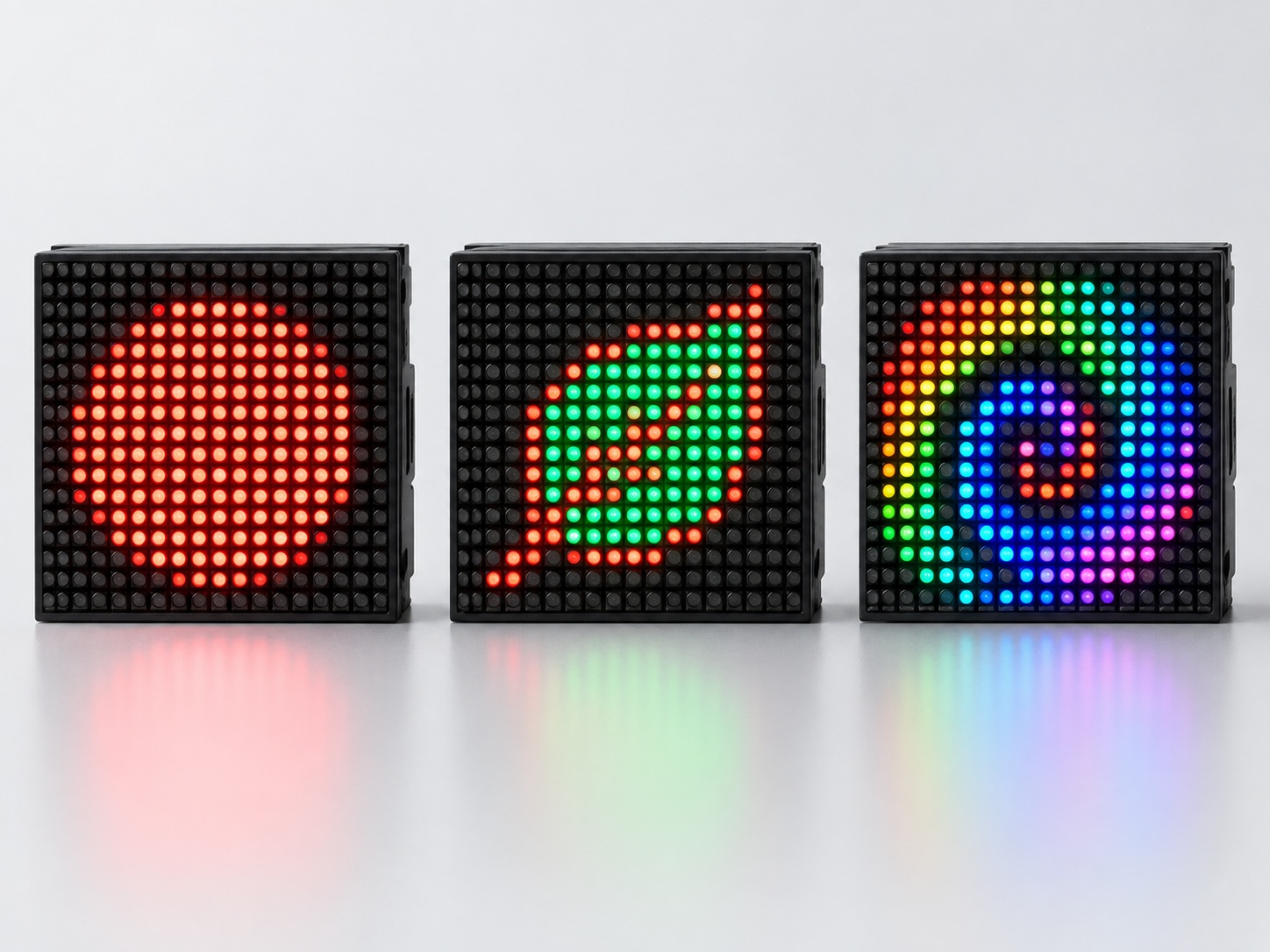
What the Driver Has to Handle
Compared with a single-colour panel, an RGB panel asks the controller to schedule three channels per dot within the same scan cycle. The practical effects are a higher demand on scan timing and a current budget that has to account for the possibility of more emitters being active at once. Neither is prohibitive, but both belong in the specification conversation with the supplier, because they interact with the matrix format, the refresh rate and the brightness target you set for the panel.
Monochrome, Bi-Color or RGB: Choosing the Colour Level
The right colour level follows from what colour communicates in your product. If the panel shows one kind of information, a monochrome matrix in red, green or white is the simplest and most readable choice. If colour marks a state, for example normal against warning, a bi-color matrix delivers that with modest driver cost.
An RGB matrix earns its additional complexity when colour itself carries a gradient of meaning: several status levels distinguished by hue, priority shown through colour, or a product identity where the display's colour is part of the design language. RGB also future-proofs the panel against content changes, because a later firmware revision can introduce new colour-coded states without a hardware change. If the content will genuinely use more than two colours, RGB is the only option of the three that supports it; if it will not, the extra cost buys nothing visible.
Where RGB Dot Matrix Displays Fit
RGB matrices suit the same environments as their monochrome counterparts, including industrial control panels, instrumentation, elevator indicators and embedded systems, with the addition of colour as an information channel. Typical situations where the RGB version is worth evaluating include:
- Equipment status panels where several operating states must be distinguishable at a glance, not just normal and fault.
- Instrumentation where measured values are colour-graded against limits, so an out-of-range reading changes colour rather than only its text.
- Elevator and building indicators where directional symbols and floor information benefit from colour coding.
- Embedded products where the display is a visible part of the product's design and must match brand colour.
- Signage-like functions inside equipment, where scrolling text and symbols are combined with colour emphasis.
In each case the test is the same: if removing colour would lose information, RGB is carrying real content, and a specialist dot matrix display supplier can shortlist the formats that support it. If colour is decoration, a bi-color panel is usually the more economical answer.
What to Confirm Before Ordering
Colour capability introduces specification details that do not exist on a monochrome order. Confirm the following with any supplier before committing to a configuration:
- Matrix format and character or symbol content, since colour does not remove the grid-size decision.
- Which colour emitters are used and how they are driven, so the perceived colour matches your expectation.
- Common-anode or common-cathode arrangement, matching your driver design, as some models are offered in both.
- Dot pitch, module outline and pin positions against your enclosure and PCB layout.
- Refresh behaviour at your intended brightness, to avoid visible flicker in the target environment.
- OEM size, colour and circuit customisation where a standard configuration does not fit the design.
Where a project needs a non-standard combination, customized displays can be developed against an approved drawing or specification, so the exact dimensions, pinout and electrical values are confirmed rather than assumed. Commercial terms are model and project based: minimum order quantity and lead time are set according to the product, the quantity and the customisation involved, and should be quoted for your specific configuration. HOUKEM provides a two-year warranty across its full product range, with normal warranty terms and exclusions applying.
Conclusion
An RGB dot matrix LED display is the right choice when colour carries information: graded statuses, colour-coded symbols, or a display whose colour is part of the product's identity. It asks more of the driver and the budget than a monochrome or bi-color panel, so the decision should rest on whether the content genuinely uses more than two colours. Confirm format, drive scheme and customisation details with the supplier early, and the RGB capability will hold up across the product's lifetime. If you are weighing an RGB configuration for a specific panel, you can send your requirements to the HOUKEM engineering team and we will respond with the options that fit your project.
Frequently Asked Questions
How is an RGB dot matrix LED display different from a bi-color one?
A bi-color matrix places two fixed-colour emitters at each dot, so a dot shows one colour or the other. An RGB matrix places red, green and blue emitters at each dot, so the panel can mix colours and display more than two colour states.
Does an RGB matrix need a different controller from a monochrome one?
The multiplexing principle is the same, but the controller must schedule three colour channels per dot within the scan cycle. That increases the demand on scan timing and on the current budget, so the driver design should account for it from the start.
Can RGB dot matrix displays be customised?
Yes, OEM size, colour and circuit customisation can be supported for applicable projects, and customized display solutions can be developed against an approved drawing. The exact configuration is confirmed per project rather than assumed from a catalogue.
Which matrix formats are available with RGB colour?
RGB versions exist across the commonly supported dot matrix formats, but not every format and colour combination is a stock item. Confirm the exact format, colour and polarity combination with the supplier before design freeze.
Is RGB worth the extra cost for a simple status panel?
If the panel only distinguishes normal from warning, a bi-color matrix delivers the same user experience with a simpler driver and lower cost. RGB is worth it when content uses more than two colours or when colour must express graded meaning.

Dot Matrix LED Display Driver and Scanning: A Practical Design Guide
5x7 vs 8x8 Dot Matrix Display: Which Format Fits Your Design?